
The Denials section includes the Top 10 Denials and the Denials List. Users can filter the Top 10 Denials report by selecting an Adjustment Code or Reason to display the related information in the Denials List. Conversely, they can also filter the Denials List to display the associated Adjustment Codes and Reasons in the Top 10 Denials report.
The Top 10 Denials report presents a summary of the most common denial reasons, organized by Adjustment Code and Adjustment Reason. It details the number of denied claims for each adjustment and the total amount denied, enabling users to identify trends and address recurring issues in the claims process. Complementing this report is the Denials List, which provides a detailed view of each denial referenced in the report.
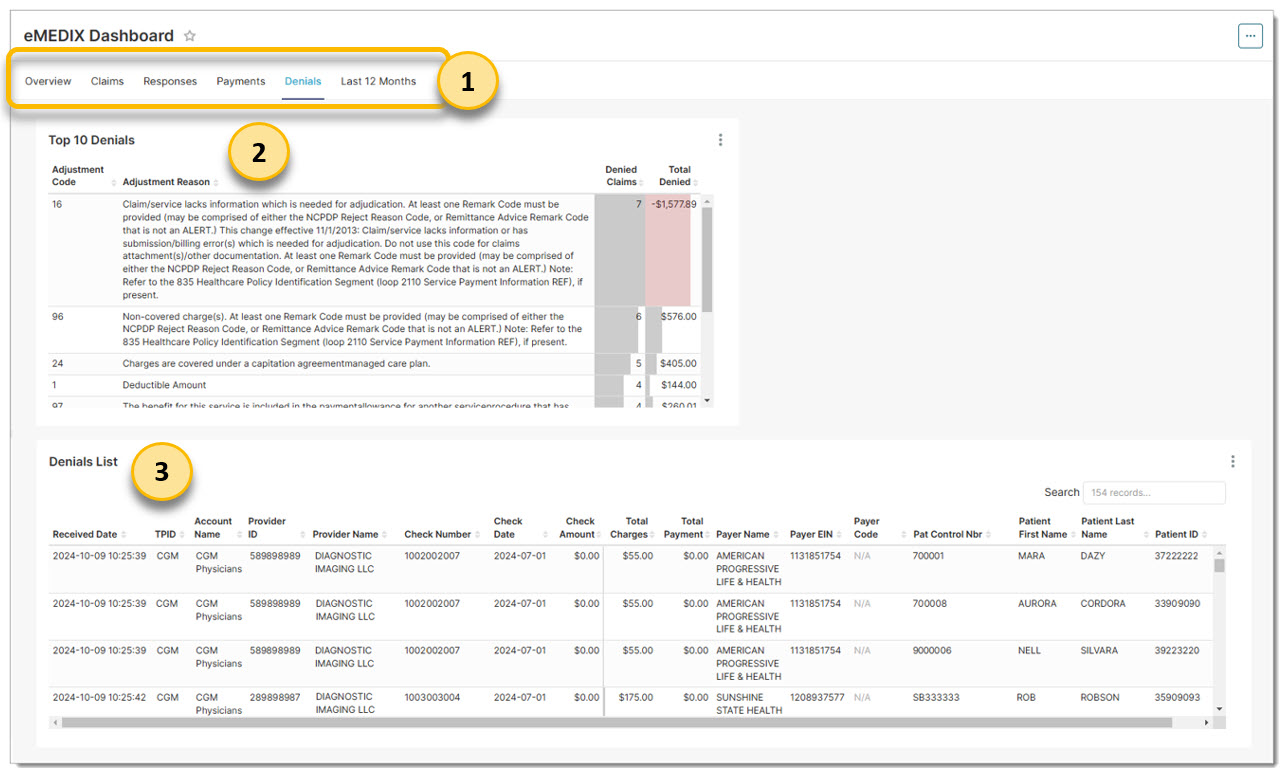
Click the Denials link to view this section. Apply a filter, if not already selected.
The Top 10 Denials report can be filtered by Adjustment Code or Adjustment Reason. Clicking on either of these columns dynamically filters the Denials accordingly.
The Denials list can be filtered by clicking on data in the columns. Clicking on any of the data dynamically filters the Top 10 Denials report.
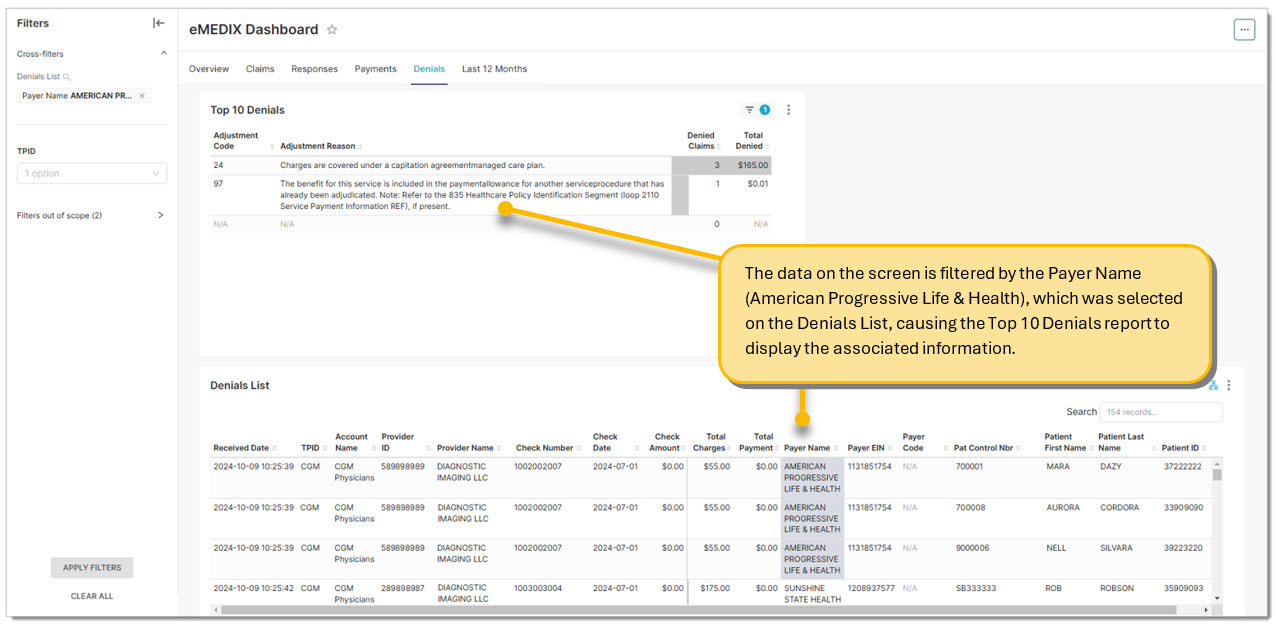
In the following example, the user clicked the Payer Name (American Progressive Life & Health) in the Denials List to view the information related to that payer. The selected payer also displays in the Filter section to the left under Cross-filters. Both the Top 10 Denials report and the Denials List update to display anything associated with the selected payer.
eMEDIX Online | Published: 2026.04.09 | ©copyright 2026 CompuGroup Medical, Inc. – All rights reserved.