
The Task Setup feature allows users to create, edit, and expire tasks. The Dashboard Account Details includes a drop-down list that displays the current tasks and tasks assigned to the TPID. When a task is created in the Task Setup screen, it is available as a Task in the drop-down menu on the Account Details.
To create a new task:
From the Setup screen, click the Task Setup tab.
Click New to enter a task. A blank line is added to the grid. 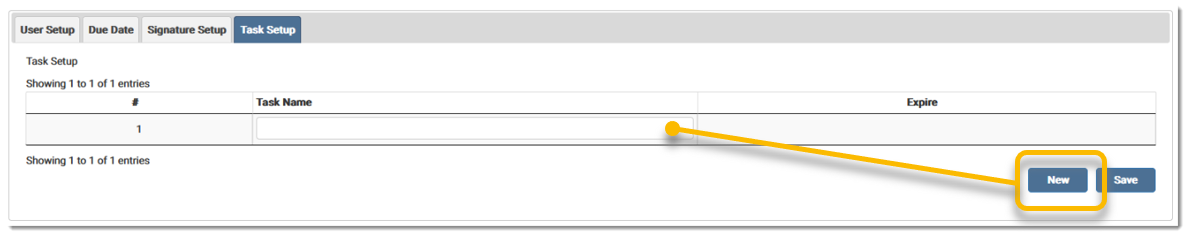
Enter the Task Name and click Save. A message displays stating the setup was saved successfully. 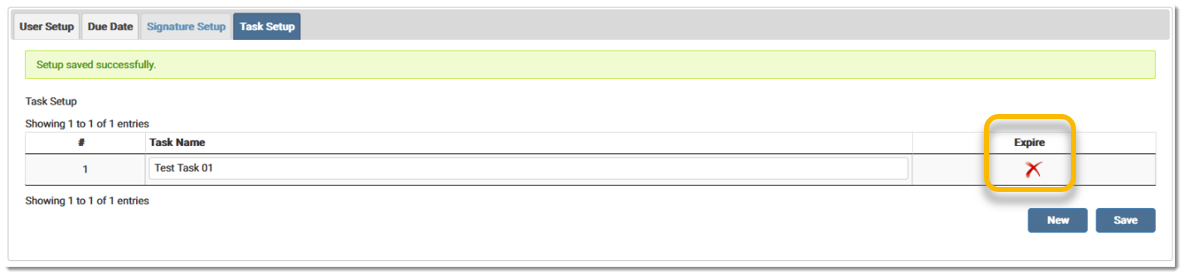
To expire a task, click the red X in the Expire column. A confirmation message displays. Click OK to expire the task. A date replaces the red X to indicate the task was expired. 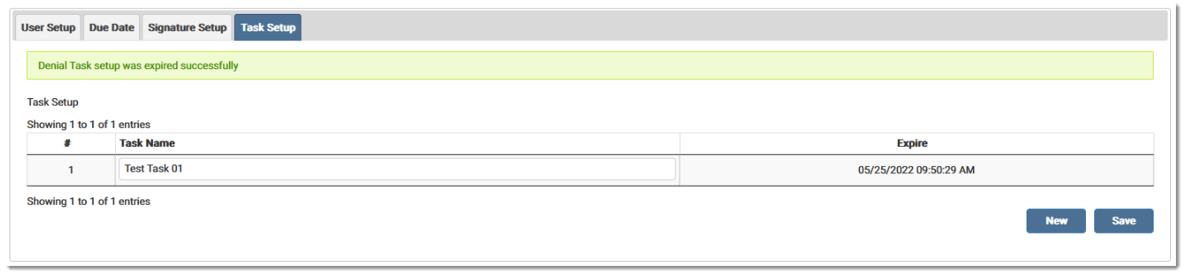
Once a task is expired, it is disabled in the Account Details Task drop-down menu and includes (Inactive) after the task name. 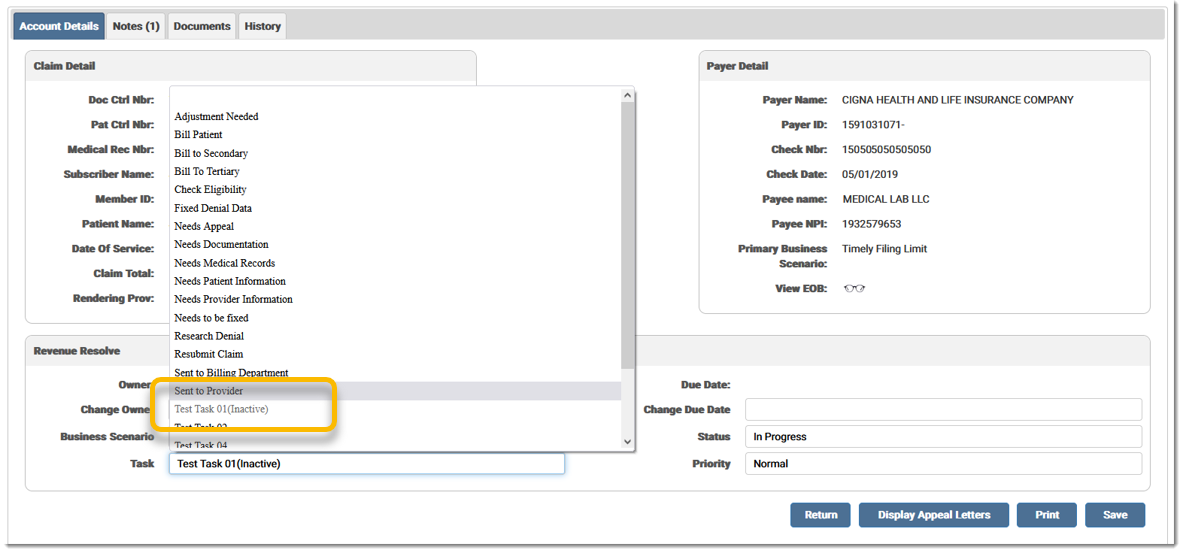
To edit a task, place the cursor in the Task Name field and enter the desired information and click Save. 
Once a Task is selected from the drop-down menu in Account Details, it displays in the grid on the Work List. An inactive task displays with (Inactive) after the task name. 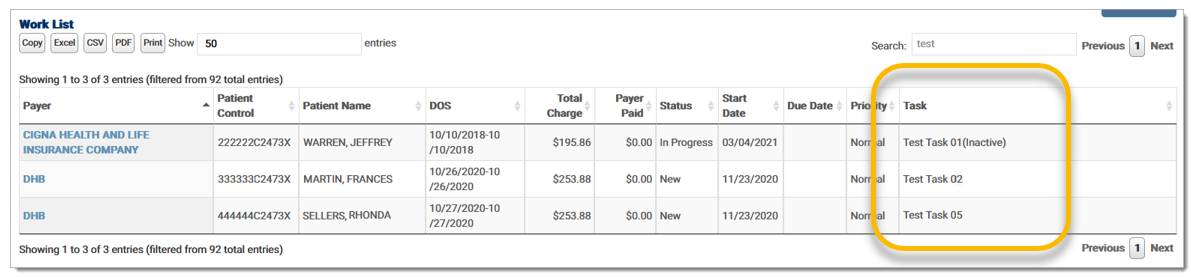
eMEDIX Online | Published: 2026.02.12 | ©copyright 2026 CompuGroup Medical, Inc. – All rights reserved.