
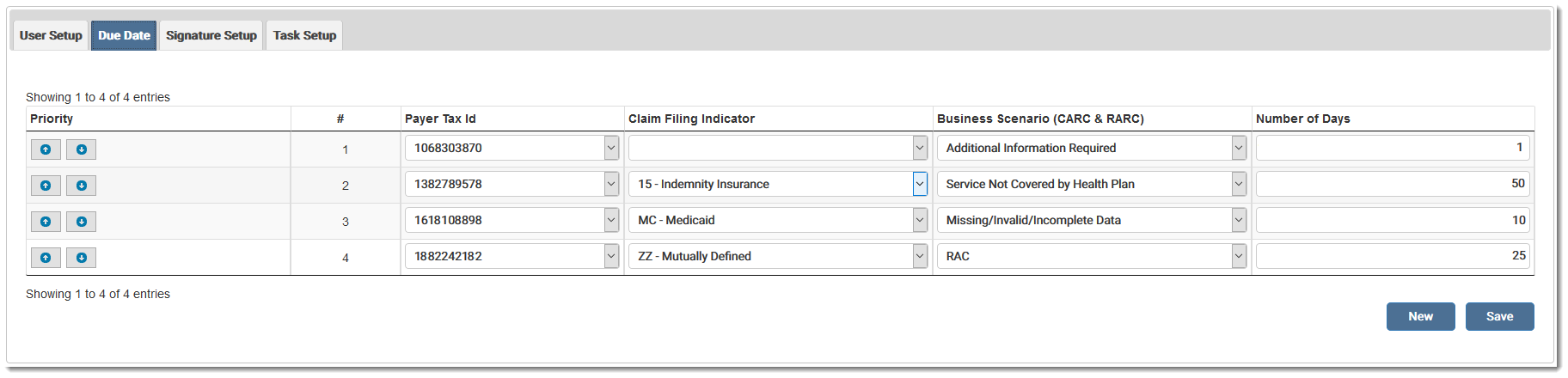
The Due Date feature allows the user to automatically set a due date for a denial. The date can be set by Payer Tax ID, Claim Filing Indicator, Business Scenario, or a combination of any three. At least one option plus the due date must be selected. The user sets the number of days to count to the current day.
Priority should be assigned after selecting all the criteria. Click the arrows to move the user(s) up or down the list.
Click New to add a blank line to the grid. Click Save to save any changes made to the setup. The Due Date column displays in the Work List.
eMEDIX Online | Published: 2026.02.12 | ©copyright 2026 CompuGroup Medical, Inc. – All rights reserved.