
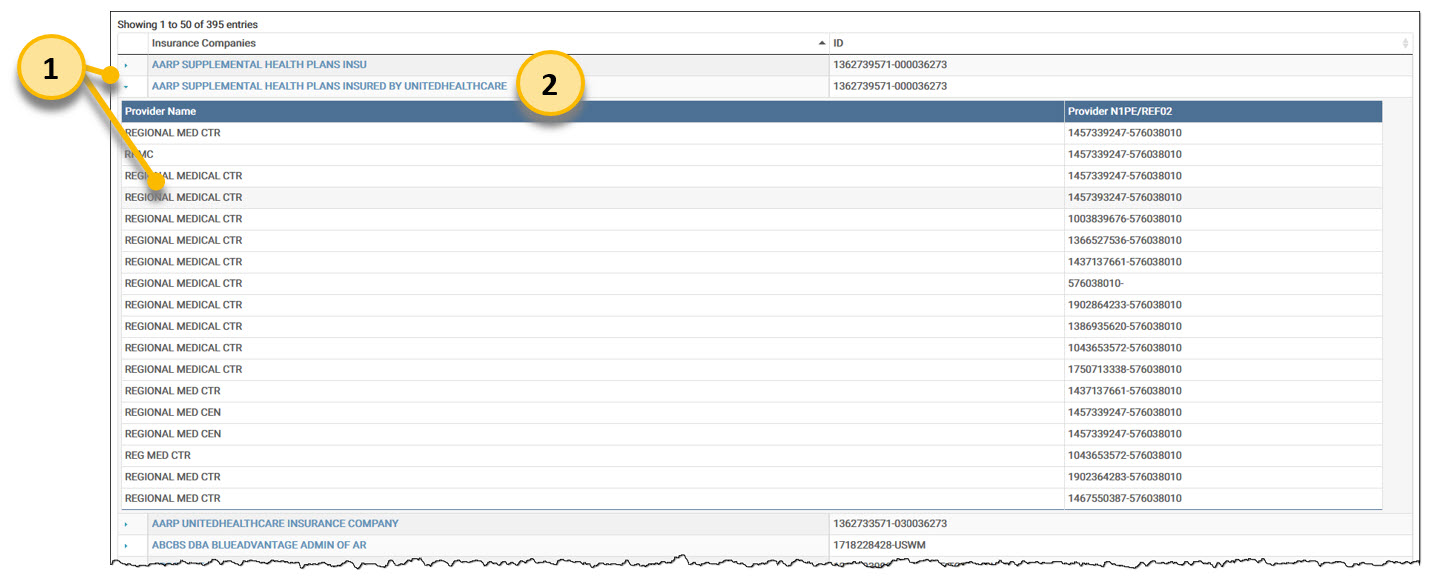
Remit Manager Payer Maintenance screen:
Click the arrow to drill-down to view provider details and click the down arrow to hide it.
Click the Payer Name to open the Payer Maintenance Detail screen.
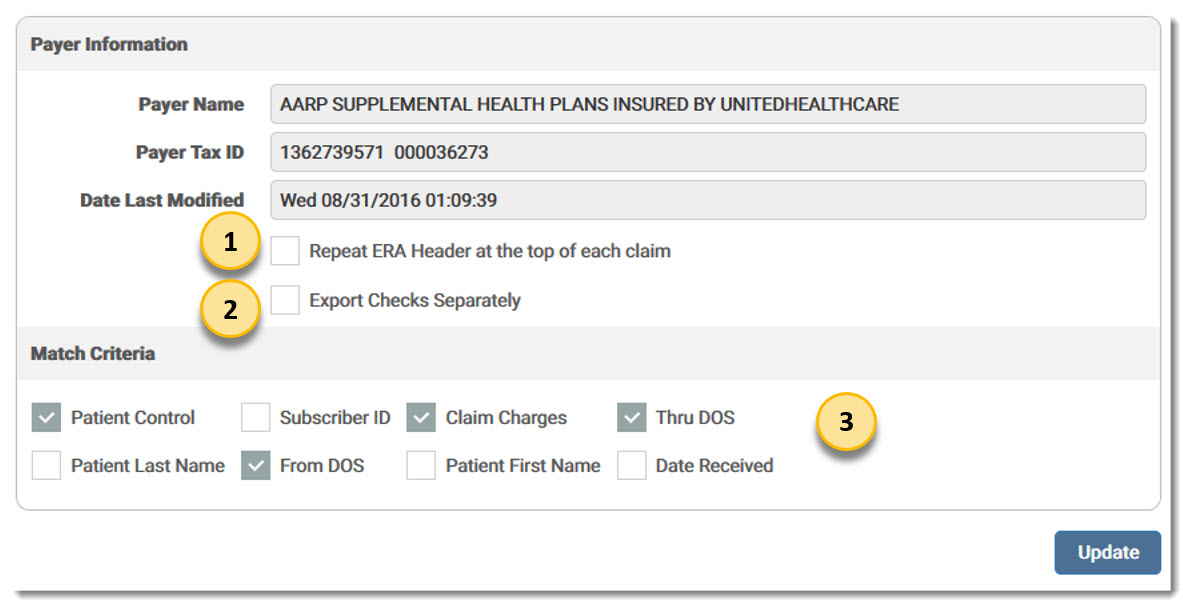
Payer Maintenance Detail Screen:
Mark the check box for Repeat ERA Header at the top of each claim to print the ERA header information for every claim on the Human Readable remit report.
Mark the check box for Export Checks Separately to force this payer's remits to be exported into individual files instead of being concatenated together.
Mark check boxes in the Match Criteria section to select the criteria for which remits are matched against claims for this particular payer.
eMEDIX Online | Published: 2026.04.09 | ©copyright 2026 CompuGroup Medical, Inc. – All rights reserved.