
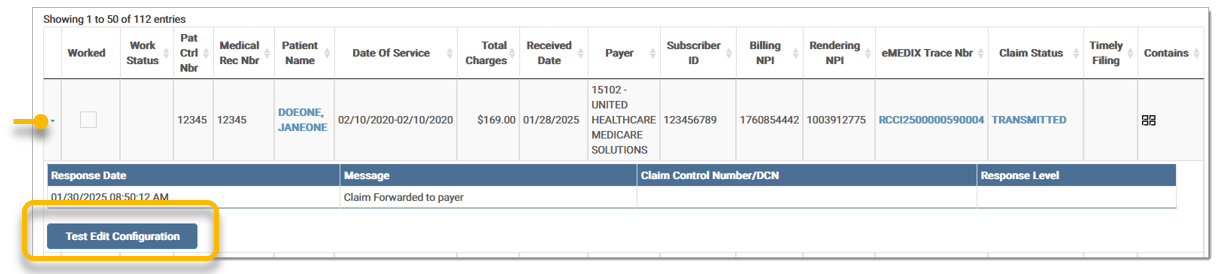
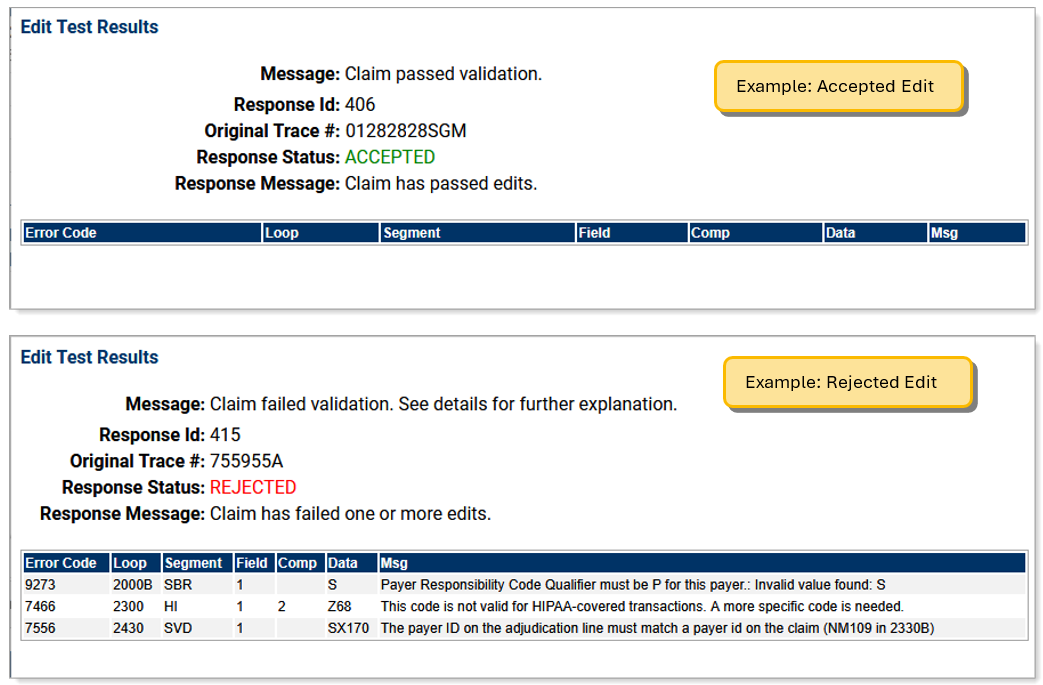
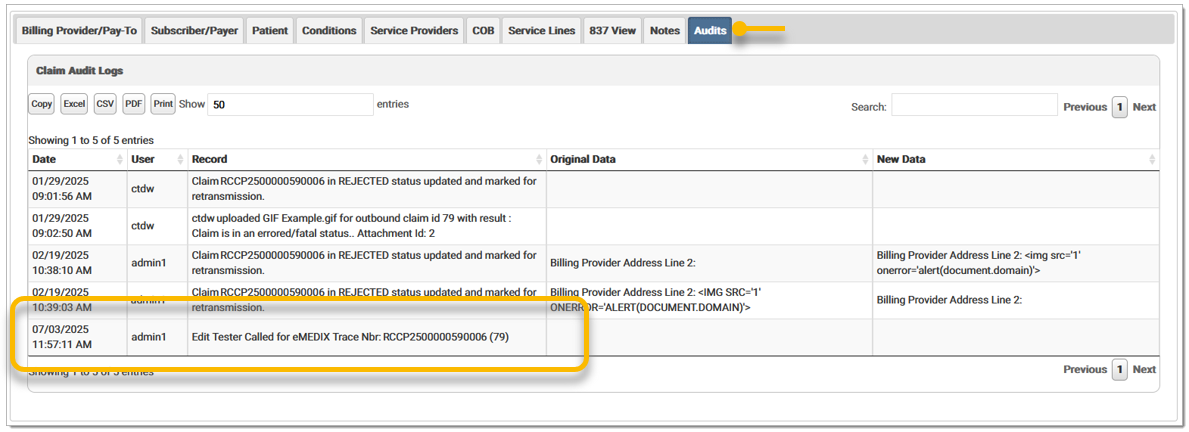
Claims Connection includes the ability to test edits, allowing users to evaluate a claim using the modifications made in Edits. The Test Edits feature runs the claim against the current configurations of eMEDIX edits and provides a response indicating whether the edit is Accepted or Rejected. Importantly, testing edits will not change or log any messages against the claim.
Note: The Edit Tester is designed solely for eMEDIX edits and does not assess Compliance edits. Additionally, claims currently in HOLD status are not eligible for testing. When a claim is in HOLD the Test Edit Configuration button is not visible. HOLD is a temporarily claim status and claims are on hold for routing review and will be updated shortly.
To test an edit:

eMEDIX Online | Published: 2026.06.11 | ©copyright 2026 CompuGroup Medical, Inc. – All rights reserved.